text-generation-webui
Classic LLM WebUI (oobabooga) with Gradio interface — loved by LoRA fine-tuners
The classic LLM WebUI (oobabooga) with a Gradio interface; a favorite among LoRA fine-tuning users and role-play fans.
Run open LLMs on your own machine — no API bills, no data leaving your device.
Key features
- Desktop app for local LLMs: text, vision, tool-calling, web search; no telemetry
- Multiple backends: llama.cpp, Transformers, ExLlamaV3, TensorRT-LLM
- OpenAI/Anthropic-compatible API with chat, completions, and tool calling
- LoRA fine-tuning tab and a dedicated image generation tab
- Fully offline with file attachments, extensions, and chat branching
Good for
- Chatting with local models through a rich desktop UI
- Swapping backends and fine-tuning LoRAs without code
Stack & tags
Pythonllmdesktop-appweb-uilocal-inferencetool-callingloraopenai-compatible
Quick start
git clone https://github.com/oobabooga/textgen
cd textgen
python server.py --portable --api --auto-launch
From the project README on GitHub.
Screenshots
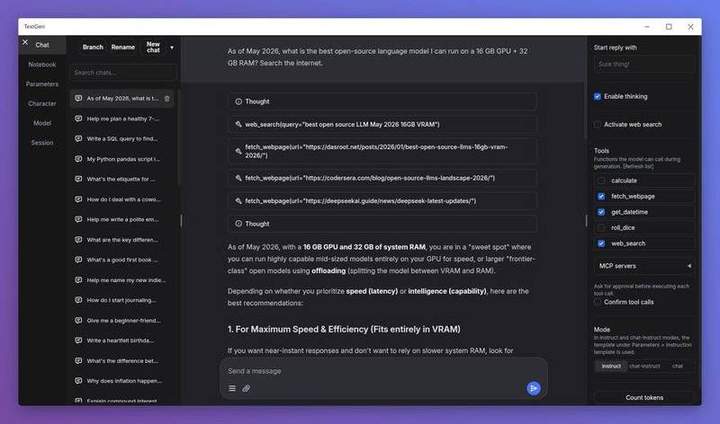
Screenshots from the project’s GitHub README.